
setups:accessing_wordpress_files
This is an old revision of the document!
Table of Contents
Access Wordpress files
Downloading Filezilla
FileZilla allows to access both FTP and SFTP servers, you can download it here for Windows and here for MacOS. Then run the executable and follow the on-screen commands.
If you use Linux look into your package manager.
Setup
- On the top left, open “File” → “Site Manager”
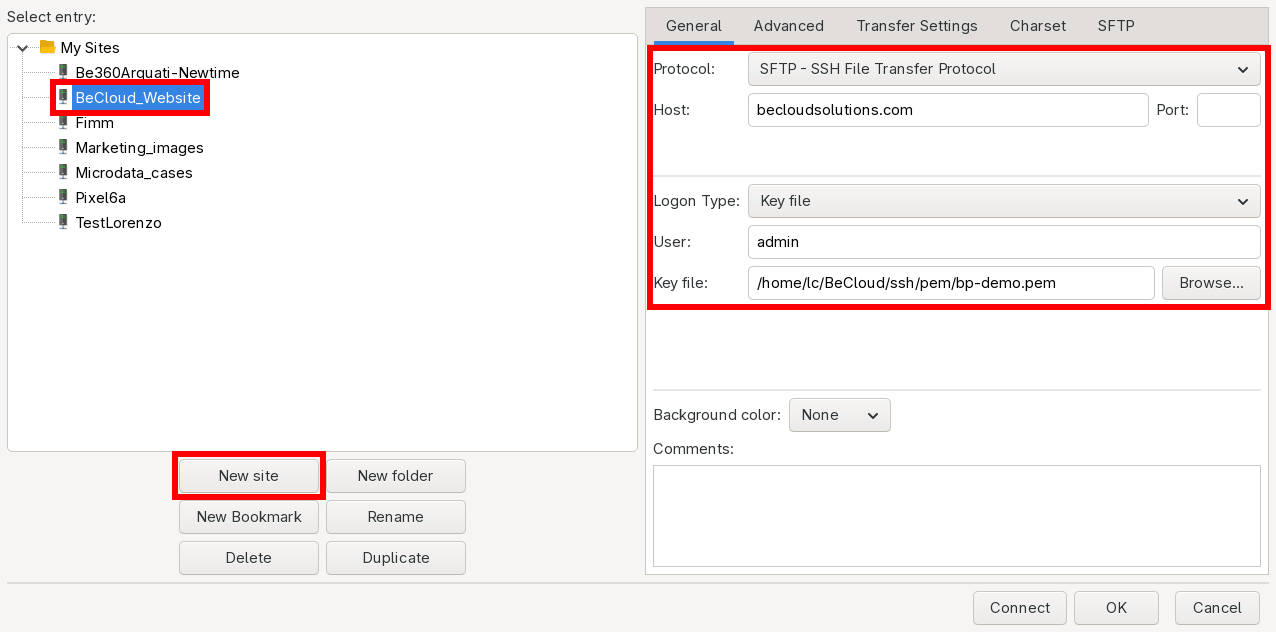
- Click on “New Site” and insert the following informations:
* Protocol: SFTP
* Host: becloudsolutions.com
* Logon Type: Key file
* User: admin
* Key file: full path of your .pem file (contact your administrator to obtain this)
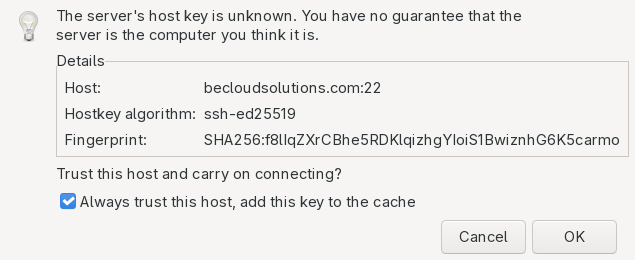
- During the first login, it may ask about the key trust: click on “Always trust this host” and click “OK”


Accessing the files
- From the “Site Manager” select the desired connection and click “Connect”
- In the “Remote site” window modify the path and insert
/var/www/wordpressand press enter
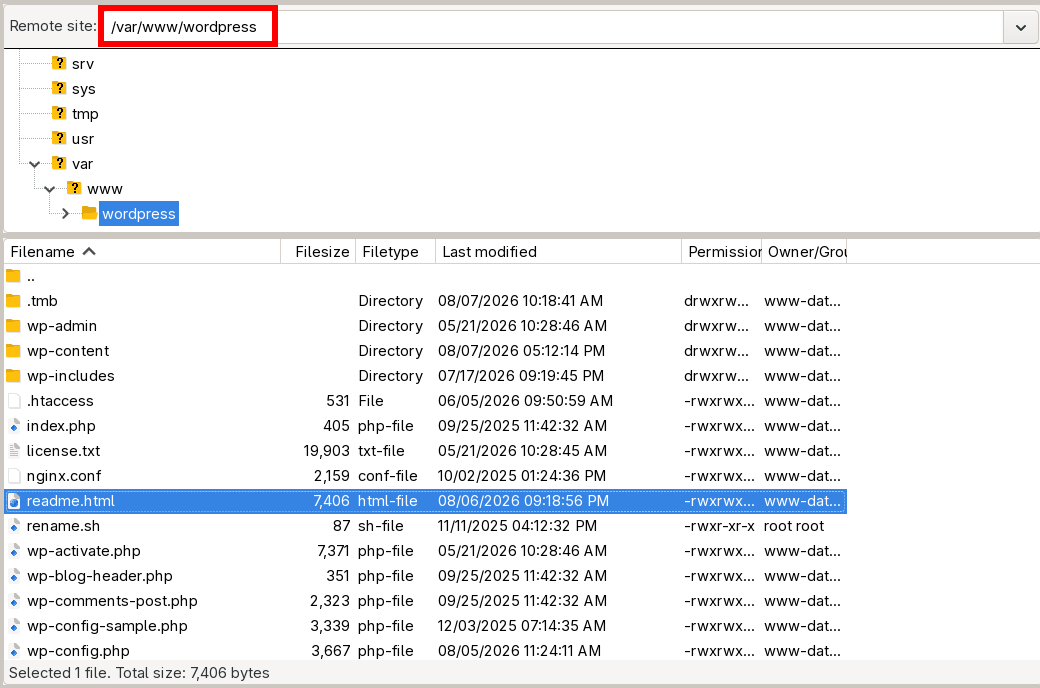

From this point on you can navigate the folder structure and open a file by right-clicking on it and open it with an external editor (I suggest VSCodium) or downloading them to your computer and then re-uploading it again.
— Lorenzo Cesana 2026/08/07 15:21
setups/accessing_wordpress_files.1786974992.txt.gz · Last modified: by sysadm